> For the complete documentation index, see [llms.txt](https://doc.engenius.ai/llms.txt). Markdown versions of documentation pages are available by appending `.md` to page URLs; this page is available as [Markdown](https://doc.engenius.ai/home-cloud-user-manual/jp/configuring-networksnettowkuno/gtoweino/intfsuno/wan/nawanipv6denoipv4.md).
# 高度なWAN設定:IPv6経由でのIPv4設定
(DS-Lite / MAP-E / IPIP)
このセクションでは、**WAN1を接続インターフェースとして選択した後に、IPv6経由でIPv4を構成する方法**を解説します。\
EnGeniusゲートウェイは、**DS-Lite、MAP-E、IPIP** といったトンネリング技術に対応しており、IPv6ベースのISP回線を使用してIPv4通信を実現できます。
## VNEベースネットワークにおける IPv6 経由の IPv4 通信
一部のブロードバンド環境(例:VNE=Virtual Network Enabler によって提供されるサービス)では、IPv4接続がIPv6インフラ上に構築されており、**MAP-E** や **IPIP** といったトンネリング技術を使用して通信が行われます。この方式は、**「v6プラス(v6plus)」** などの商用サービスとして複数のISPで採用されており、**従来のIPv4サービスを維持しながら高速なインターネット接続を実現する手法**として広く利用されています。\
VNEベースのIPv4 over IPv6構成の主な特徴:
* **MAP-E** または **DS-Lite**を利用した動的IPアクセス
* IPIP方式における**固定IPv4アドレスの指定(オプション)**
* **DDNSや認証機構との統合**
* **ルーティングおよびトンネル管理は、VNEインフラ側で制御**
### 1. 接続タイプの選択
**[設定(Configure)] >[ゲートウェイ(Gateway )] >[インターフェース(Interface) ]> [WAN]**で WAN1 を選択した後、以下の接続方式から選択できます:
* IPv4 over IPv6(DS-Lite)
* IPv4 over IPv6(MAP-E)
* IPv4 over IPv6(IPIP)
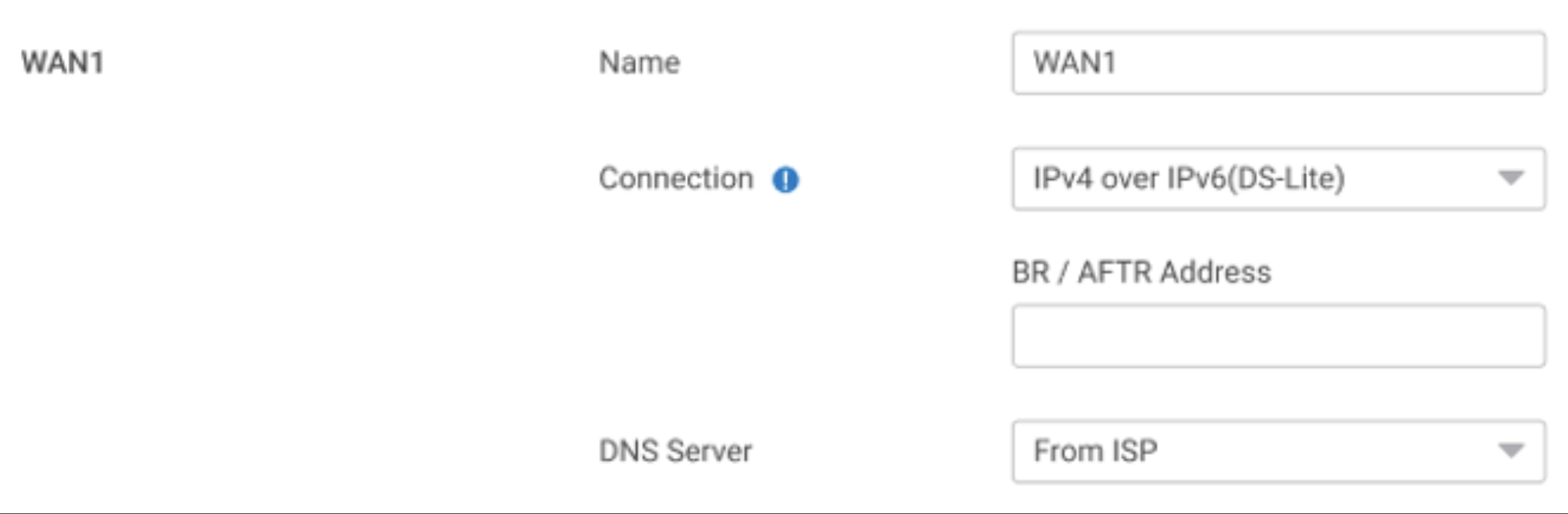
### 2. IPv4 over IPv6 (DS-Lite)
DS-Lite(Dual-Stack Lite)を使用する場合、以下のパラメータを設定してください:
| 項目 | 説明 |
| ------------- | ----------------- |
| BR / AFTRアドレス | 必須。ISPから提供されます。 |
| DNSサーバー | 「ISPから取得」に固定されます。 |
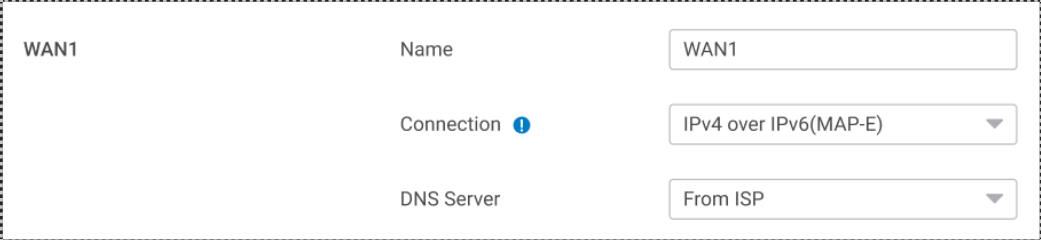
### 3. IPv4 over IPv6 (MAP-E)
MAP-Eはステートレスなトンネリング方式であり、**手動設定は不要**です。
| 項目 | 説明 |
| ------- | ----------------- |
| DNSサーバー | 「ISPから取得」に固定されます。 |
### 4. IPv4 over IPv6 (IPIP)
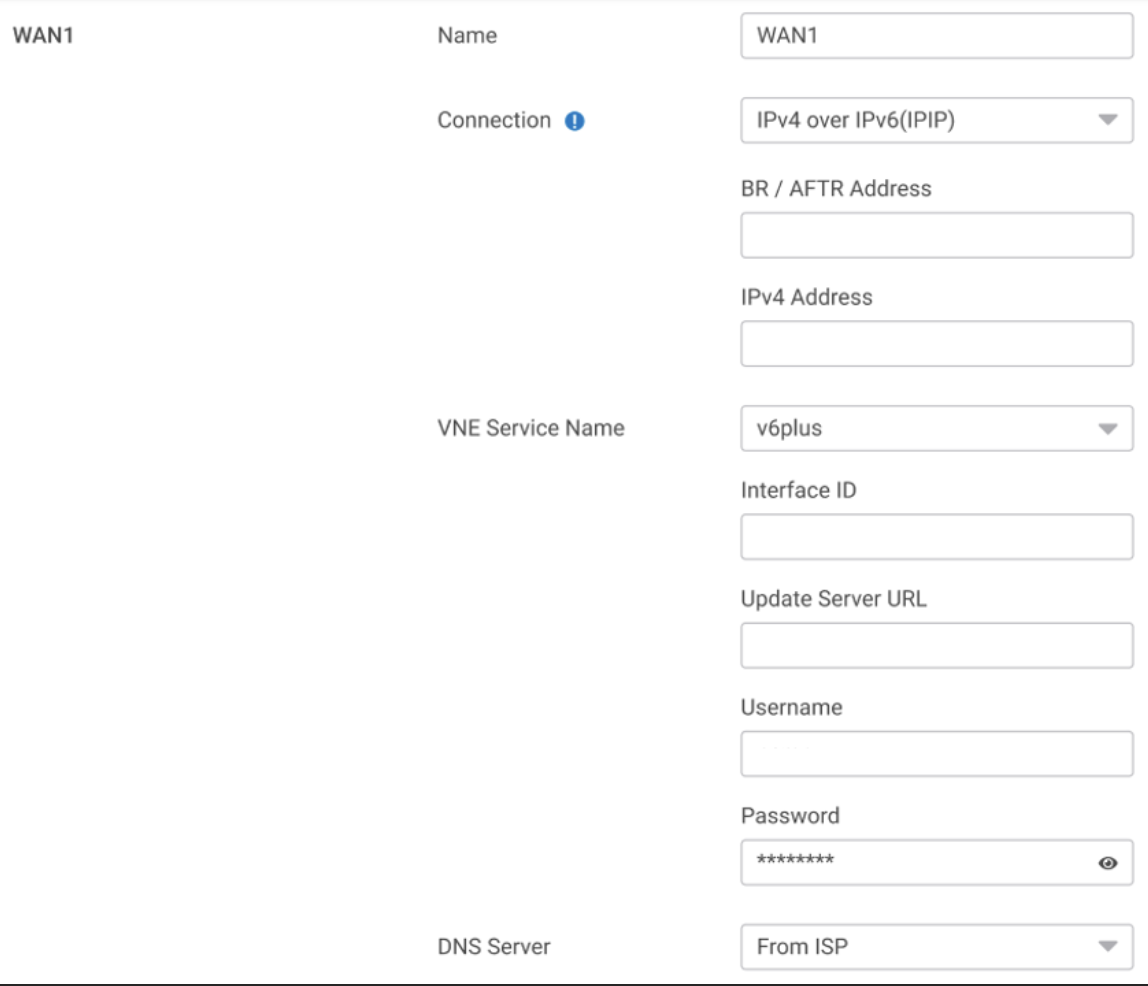
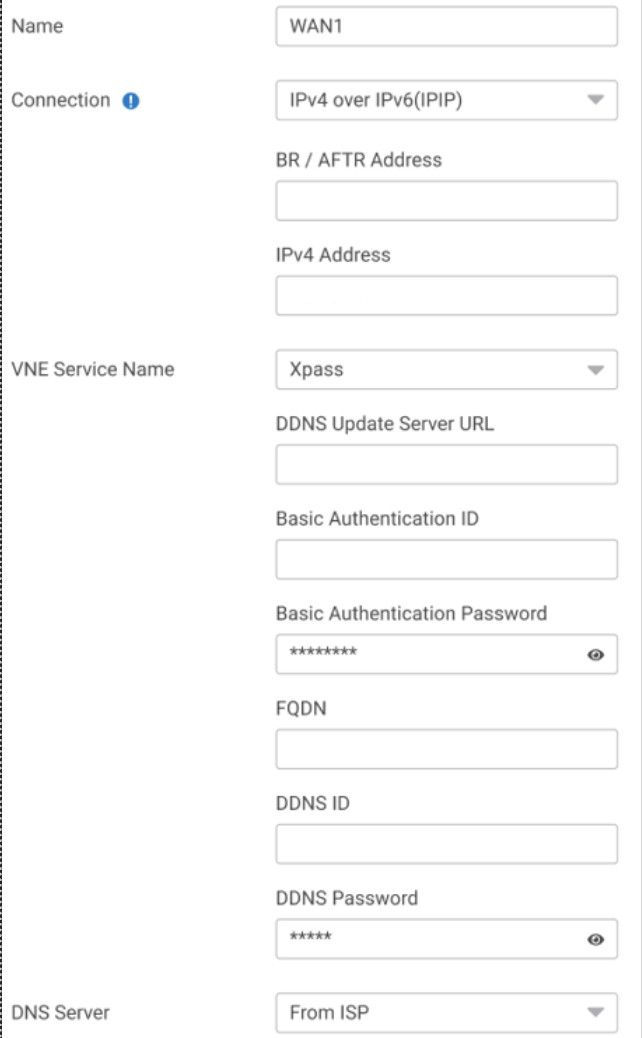
IPIP方式を用いた構成では、**VNEタイプ(v6plus または Xpass)** を選択します。それぞれで必要な設定項目が異なります。
#### VNE = v6plus
| 項目 | 説明 |
| -------------- | --------------------- |
| BR / AFTR アドレス | 必須。ISPまたはVNEから提供されます。 |
| IPv4 アドレス | 必須。固定グローバルIPv4アドレス。 |
| インターフェースID | v6plus によって割り当てられます。 |
| アップデートサーバーURL | プロバイダーが指定したURLを入力します。 |
| ユーザー名/パスワード | 任意。ISPによって異なります。 |
| DNS サーバー | 「ISPから取得」に固定されます。 |
#### VNE = Xpass
| 項目 | 説明 |
| ----------------- | ---------------------------- |
| BR / AFTR アドレス | 必須。ISPより提供されます。 |
| IPv4 アドレス | 必須。固定グローバルIPv4アドレス。 |
| DDNSアップデートサーバーURL | Required. Provided by Xpass. |
| Basic 認証ID/パスワード | Provided by Xpass. |
| FQDN / DDNS ID | Assigned hostname. |
| DDNS パスワード | Provided by Xpass. |
| DNS サーバー | 「ISPから取得」に固定されます。 |
### 5. LAN側のIPv6アドレス設定
**設定手順:**\
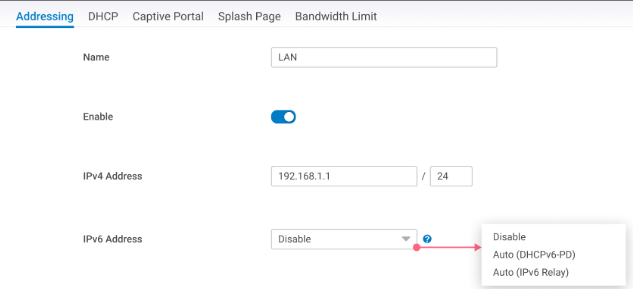
**[設定(Configure)] >[ゲートウェイ(Gateway )] >[インターフェース(Interface) ] > [Addressing]**に進み、以下のいずれかの方法でIPv6を有効化します:
* 無効化(Disable)
* 自動(DHCPv6-PD)
* 自動(IPv6リレー)
{% hint style="info" %}
**補足**:
1つのLANインターフェースに対して、有効にできるのは **DHCPv6-PD または IPv6リレーのいずれか1つのみ** です。
{% endhint %}
### 6. ゲートウェイのモニタリング
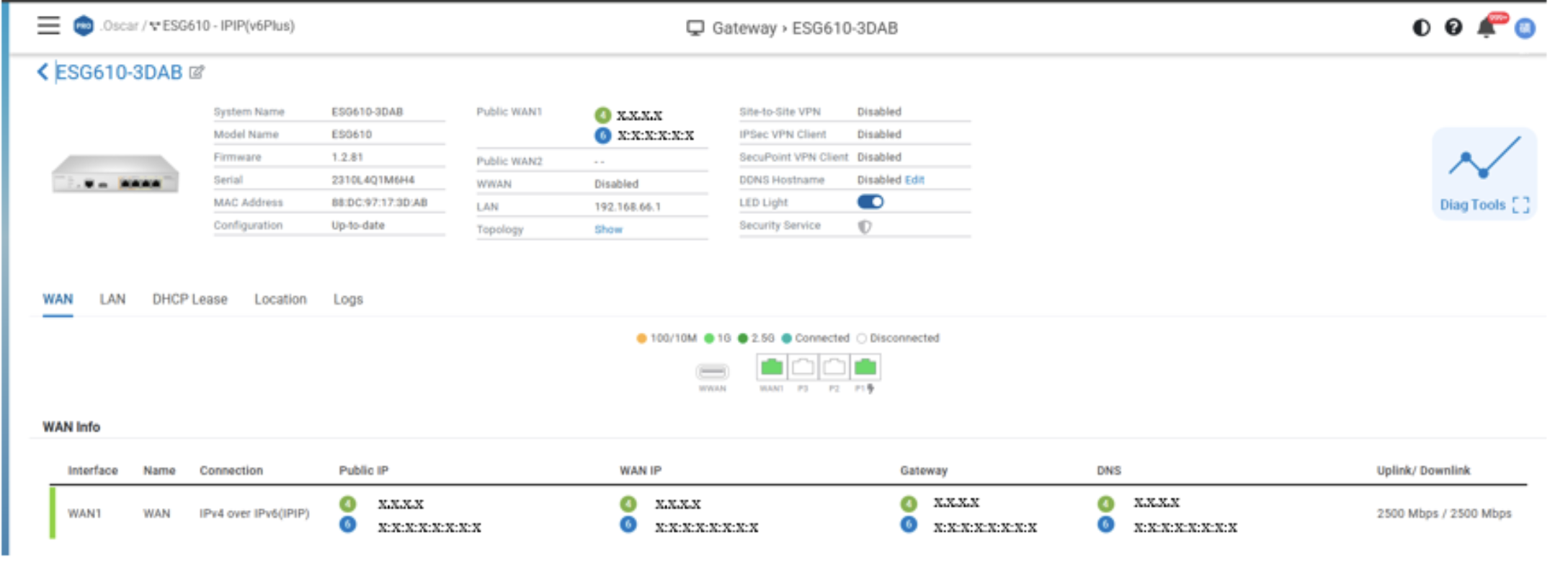
**IPv4およびIPv6アドレス**は、以下の画面で確認できます:
* 管理 > ゲートウェイ一覧
* 管理 > ゲートウェイ詳細
{% hint style="info" %}
**対応ファームウェアバージョン**
MAP-E および DS-Lite:バージョン **1.2.80以降** に対応
IPIP(Xpass/v6plus) :バージョン **1.2.81以降** に対応
{% endhint %}
{% hint style="info" %}
**「v6 プラス」および「v6plus」は、株式会社JPIX の登録商標(または商標)です。**
{% endhint %}
---
# Agent Instructions
This documentation is published with GitBook. GitBook is the documentation platform designed so that both humans and AI agents can read, navigate, and reason over technical content effectively. Learn more at gitbook.com.
## Querying This Documentation
If you need additional information that is not directly available in this page, you can query the documentation dynamically by asking a question.
Perform an HTTP GET request on the current page URL with the `ask` query parameter, and the optional `goal` query parameter:
```
GET https://doc.engenius.ai/home-cloud-user-manual/jp/configuring-networksnettowkuno/gtoweino/intfsuno/wan/nawanipv6denoipv4.md?ask=&goal=
```
`ask` is the immediate question: it should be specific, self-contained, and written in natural language.
`goal` is optional and describes the broader end goal you are ultimately trying to accomplish on behalf of the user. GitBook uses it to tailor the answer towards what is most useful for that goal.
The response will contain a direct answer to the question and relevant excerpts and sources from the documentation.
Use this mechanism when the answer is not explicitly present in the current page, you need clarification or additional context, or you want to retrieve related documentation sections.