> For the complete documentation index, see [llms.txt](https://doc.engenius.ai/llms.txt). Markdown versions of documentation pages are available by appending `.md` to page URLs; this page is available as [Markdown](https://doc.engenius.ai/home-engenius-qsg-library/jp/engenius-cloud-qsg-jp/cloud-access-point/jp-ecw515-qsg.md).
# \[JP] ECW515 QSG
クラウド管理型 Wi-Fi 7 2×2 壁面取付型アクセスポイント
## 概要
本クイックスタートガイドは、**Cloud7 2x2** アクセスポイント(型番:**ECW515**)の設置手順を案内することを目的としており、ハードウェアの取り付けおよび設定方法が含まれています。
{% hint style="info" %}
## Cloud7 2x2 Wallplate
### クラウド管理型 Wi-Fi 7 2x2 壁面取付型アクセスポイント
#### 型番: ECW515
* 高密度かつ多数端末が接続される環境において、高性能な無線通信を実現する **Wi-Fi 7 テクノロジー** を採用
* **2×2 空間ストリーム** に対応し、最大通信速度は **5GHz帯:2,900Mbps、2.4GHz帯:700Mbps**
* **2.5GbE PoE-in ポート** は **IEEE 802.3at(PoE+)** に対応し、PoEインジェクターからの給電にも対応。最大 **100m(328フィート)** のケーブル配線が可能で、柔軟な設置を実現
* **DC 54V 電源入力** に対応し、電源構成の柔軟性を向上
* **PoE-out 機能** により、VoIP電話などの PoE 対応機器への給電が可能
{% endhint %}
コンテンツクイックリンク
* [**ハードウェア概要**](#hdowea)
* [**ハードウェアの設置**](#hdoweano)
* [**EnGenius Cloudでの設定方法**](#engenius-clouddeno)
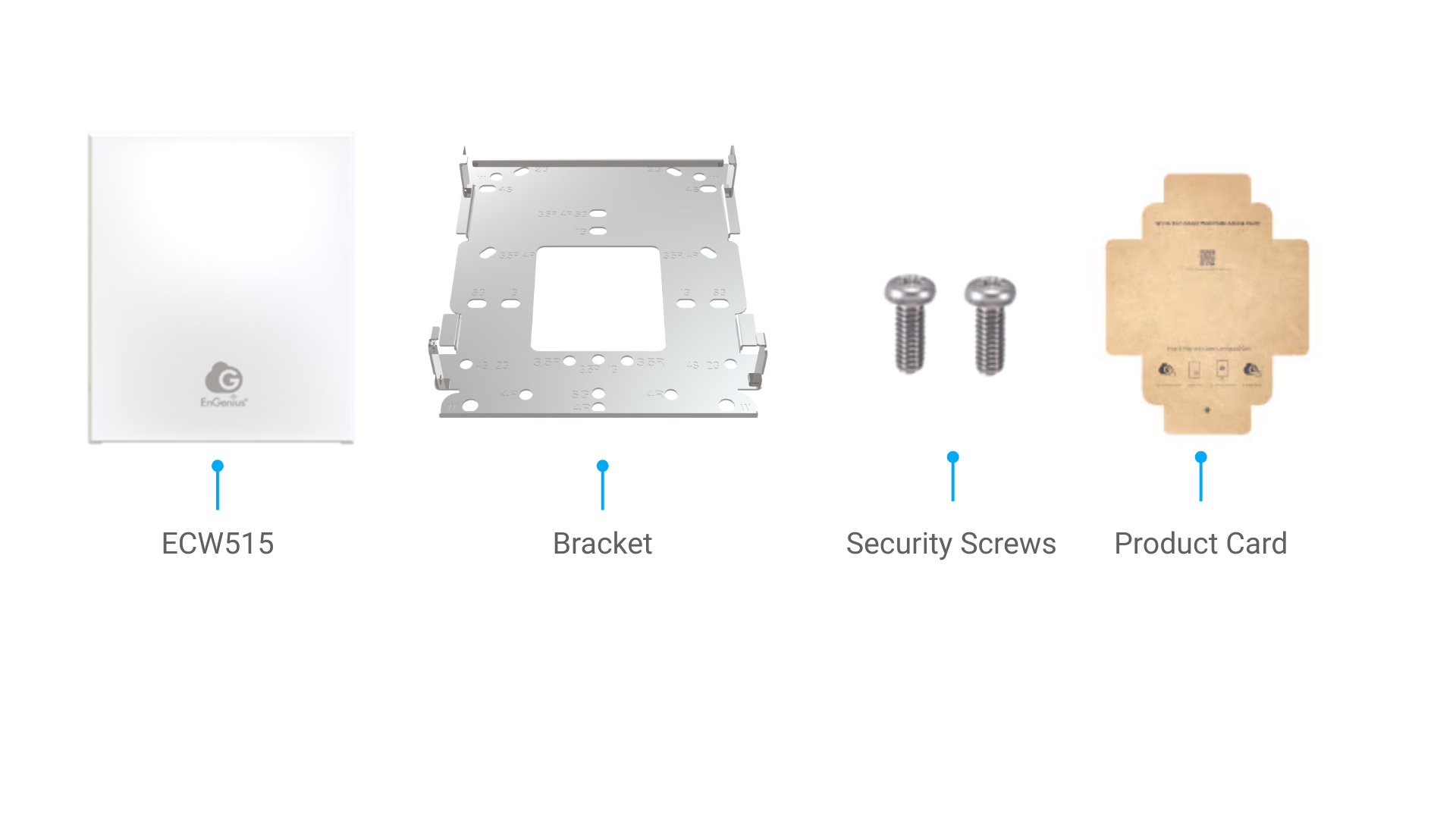
## パッケージの内容
## システム要件
EnGenius Cloudは、主にブラウザまたはモバイルアプリからアクセス可能です。EnGenius Cloudサービスへのサインアップ、またはネットワーク管理のためにEnGenius Cloudへログインする前に、対応するアプリをダウンロードし、サポートされているブラウザを使用していることを必ず確認してください。
### モバイルアプリ
**EnGenius Cloud どこでも**(iOS/Android対応)
:arrow\_down: [Cloud To-Goモバイルアプリのダウンロードはこちら](https://qr.engenius.ai/app/jp/cloud2go)

### **対応ブラウザ**
* Google Chrome(バージョン57.0.2987.110以降)
* Microsoft Edge(バージョン80.0.361.103以降)
* Mozilla Firefox(バージョン52.0以降)
## **ネットワーク要件**
作業を開始する前に、ネットワーク環境がDHCP対応であることを確認してください。EnGenius Cloudアクセスポイント(ECWシリーズ)は、デフォルトでDHCPサーバーにより動的にIPアドレスが割り当てられます。
{% hint style="info" %}
IPアドレスが正しく割り当てられない場合は、IP設定を**「DHCPモード」**から**「固定IP(Static IP)」**へ変更してください。詳細については、『[Cloud User Manual (日本語)>はじめに > デバイス設定について > ECW AP の障害対応 > ローカルアクセスページにログイン ](https://doc.engenius.ai/home-cloud-user-manual/jp/getting-startedmaru/device-setupdebaisunitsuite/troubleshooting-ecw-ap/login-to-local-access-page)』をご参照ください。
{% endhint %}
---
# Agent Instructions
This documentation is published with GitBook. GitBook is the documentation platform designed so that both humans and AI agents can read, navigate, and reason over technical content effectively. Learn more at gitbook.com.
## Querying This Documentation
If you need additional information that is not directly available in this page, you can query the documentation by asking a question.
Perform an HTTP GET request on the following URL with the `ask` and `goal` query parameters:
```
GET https://doc.engenius.ai/home-engenius-qsg-library/jp/engenius-cloud-qsg-jp/cloud-access-point/jp-ecw515-qsg.md?ask=&goal=
```
`ask` is the immediate question: it should be specific, self-contained, and written in natural language.
`goal` is what the user is ultimately trying to achieve, the reason they need the answer. Sharing it helps GitBook give you a better, more relevant answer. A goal is most helpful when it describes the outcome the user wants rather than restating the question. For example, with `ask=how do I create an API token`, a goal like `automate deployments from our CI pipeline` lets GitBook tailor the answer to that use case.
The response will contain a direct answer to the question and relevant excerpts and sources from the documentation.
Use this mechanism when the answer is not explicitly present in the current page, you need clarification or additional context, or you want to retrieve related documentation sections.