> For the complete documentation index, see [llms.txt](https://doc.engenius.ai/llms.txt). Markdown versions of documentation pages are available by appending `.md` to page URLs; this page is available as [Markdown](https://doc.engenius.ai/home-eoc655-user-manual/initial-setup-and-configuration/graphical-user-interface-gui-overview.md).
# Graphical User Interface (GUI) Overview
## **Powering On**
To access the Graphical User Interface (GUI), power on the Radio. Upon successful login, the user interface includes a title bar at the top, a navigation pane on the left, and a content pane in the center. The "Summary" page is displayed in the content pane.
## **Navigational Elements**
* **Home**: Returns you to the Summary page, displaying essential performance parameters such as System, Network, Wireless, and Throughput.
* **Apply**: Commits all changes made to configuration settings. Ensure to click this button to save your modifications.
* **Logout**: To sign out, click Logout. If there are unsaved changes, click Apply to save before logging out. Successful logout redirects to the login page.
* **Reboot**: Restarts the device to apply significant changes or updates
Each action is integral for managing and configuring the device, ensuring optimal performance and security.
## Summary
Upon logging in, users are immediately greeted with the Summary page. The Summary page shows the complete overall status of the device including the details of System, Network, Performance, and Wireless.
## User Credentials and Roles
The network operator can configure, manage, and monitor the device using HTTP/SNMP/Telnet/SSH protocols.
The **root** users have full access to all the parameters in the device settings, preventing unauthorized changes in settings.
Please refer to Devices Access Types or use your Ethernet port or wireless network to access the AP/ SU and proceed.
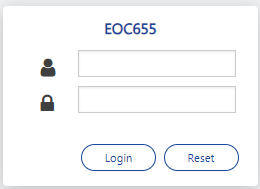
The GUI will prompt you to log in with a password after connecting via any of the three-device access methods. The default username and password are "admin” and should be changed immediately after login to protect your network since it gives the user read write privileges.
The password can be changed:
Click ***Management > Services> HTTP > Admin password/ Root Password***
---
# Agent Instructions
This documentation is published with GitBook. GitBook is the documentation platform designed so that both humans and AI agents can read, navigate, and reason over technical content effectively. Learn more at gitbook.com.
## Querying This Documentation
If you need additional information that is not directly available in this page, you can query the documentation by asking a question.
Perform an HTTP GET request on the following URL with the `ask` and `goal` query parameters:
```
GET https://doc.engenius.ai/home-eoc655-user-manual/initial-setup-and-configuration/graphical-user-interface-gui-overview.md?ask=&goal=
```
`ask` is the immediate question: it should be specific, self-contained, and written in natural language.
`goal` is what the user is ultimately trying to achieve, the reason they need the answer. Sharing it helps GitBook give you a better, more relevant answer. A goal is most helpful when it describes the outcome the user wants rather than restating the question. For example, with `ask=how do I create an API token`, a goal like `automate deployments from our CI pipeline` lets GitBook tailor the answer to that use case.
The response will contain a direct answer to the question and relevant excerpts and sources from the documentation.
Use this mechanism when the answer is not explicitly present in the current page, you need clarification or additional context, or you want to retrieve related documentation sections.